Reviews
Part of How to compare eight productivity software tools before reaching a verdict
Business productivity software: five providers to shortlist, not rank
A non-ranked, evidence-led shortlist of five productivity software records, with workflow fit questions, research limits and practical trial steps.
Microsoft Planner, Asana, Trello, monday work management and Notion Projects each publish enough first-party documentation to test against a real workflow. This page treats them as five records worth a shortlist, not as a ranking.
What to take away
- The shortlist is Microsoft Planner, Asana, Trello, monday work management and Notion Projects, in no order of merit.
- Ask for a dated written quotation covering seats, term, VAT and renewal uplift before comparing cost.
- Put one realistic scenario through all five, then check licence, access, ownership, reporting and export.
- No provider paid for inclusion, and no account or plan was tested for this article.
How these five were drawn
Each candidate had to publish a live page on task or project work, enough detail to frame a trial question, and a service an England-based organisation could investigate. Vertical systems, ERP and CRM tools were excluded.
The five providers and the work each fits
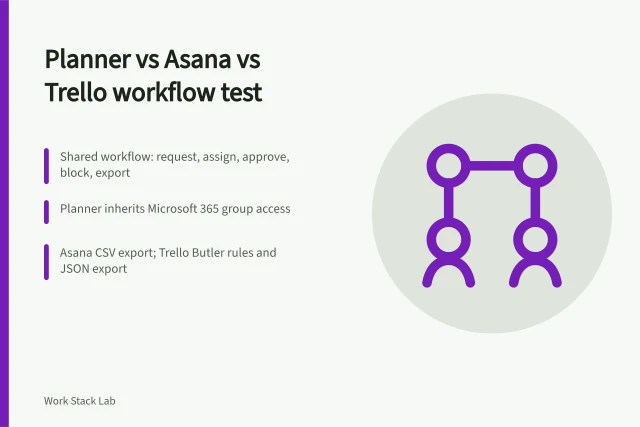
The table pairs every provider with the workflow it tends to suit and the point most likely to decide a trial. Because Planner, Asana and Trello can share one workflow, the product comparison of the three is worth reading before you build test cases.
Workflow it tends to suit
- Microsoft Planner
- Teams already inside Microsoft 365 identities and collaboration
- Asana
- Multi-step projects with named owners and hand-offs
- Trello
- Visual flow where work moves through board states
- monday work management
- Configurable intake, boards and reporting across varied teams
- Notion Projects
- Project records sitting beside documents and databases
Likely deciding point
- Microsoft Planner
- Exact licence, guest access, export
- Asana
- Plan-level admin, collaborator visibility, exit
- Trello
- Scale, exceptions, cards without an owner
- monday work management
- Who maintains columns and automations, which edition carries controls
- Notion Projects
- Permission inheritance, template governance, search
Microsoft Planner
Microsoft describes Planner as collaborative task management using cards on a Kanban board, with assignments, dates, status, checklists and labels. Its service description documents those objects and warns that availability varies by plan.
Teams already inside Microsoft 365 identities are the natural fit. Test with a guest, a leaver and an export, because those decide whether the record matches the plan.
Asana
Asana's task documentation covers assignees, due dates, subtasks and approvals. Project views then present the same work in other formats.
Departments that route work between named owners are the usual fit. Confirm the plan exposes the administration and reporting you need, and find out how a finished project leaves the service.
Trello
The first-party Trello 101 guide identifies boards, lists and cards as the organising model, then links to views, permissions, integrations and automation. That makes Trello a fair record for work that moves visibly between states.
Small teams with a stable flow are the usual fit. Before deciding, add an urgent case, a blocked card and a private attachment to a board, then confirm the plan limits and the export route.
monday work management
monday.com's support guide says workspaces hold boards, dashboards and documents, while boards use items, groups and columns.
Consider it where intake and reporting need configuration rather than a fixed template. Ask who maintains columns and automations, how failures surface, which edition carries the controls, and what an export preserves.
Notion Projects
Notion places projects inside a connected workspace for documents and structured databases. Its Projects page describes tasks, status, assignment, database views and dependencies.
Teams that keep reference material beside live project records are the usual fit. Examine permission inheritance, template governance, search and export, and the line between an operational record and informal notes.
How to narrow these five to one
Give every candidate the same scenario, then record each outcome in the same format. The selection checklist covering workflow fit to export and exit shows how to log why an option passed or failed.
- Write a scenario with real deadlines, a guest, a leaver and one exception.
- Confirm the exact licence and plan limits in writing.
- Test access control, ownership transfer, reporting and export.
- Price the licence, implementation, support and change work.
The NCSC's guidance on using SaaS securely advises understanding the application's purpose and your security needs before configuration, then managing identities, privileges, data and recovery. Test guest access and export against your lawful basis for personal data, which the ICO guide to the UK GDPR sets out.
What a dated quotation should itemise
List prices move, and seat-based plans are hard to compare unless the units match. Ask for a quotation dated when it is issued.
It should state the price per named user per month, the term, VAT treatment, the renewal uplift and any implementation package. A guide to reading a software contract explains the liability and exit terms a quotation will not show.
Common questions
Which five providers should I shortlist?
Microsoft Planner, Asana, Trello, monday work management and Notion Projects. Each publishes first-party documentation detailed enough to frame a trial question.
What should a trial test first?
The licence and plan limits, guest behaviour, ownership after a leaver, the reporting you need, and how a complete project leaves the service.
How do I compare cost fairly?
Ask for a dated quotation using identical units, term and renewal uplift across all five. Seat-based pricing is comparable only when the named-user count and the term match.