Reviews
Part of How to compare eight productivity software tools before reaching a verdict
Business productivity software comparison: Planner, Asana and Trello on one shared workflow, with permissions, exceptions and export
Compare Microsoft Planner, Asana and Trello on one shared workflow, plus Jira, ClickUp and Smartsheet public facts on permissions, exceptions and export for UK teams
What to take away
- This comparison uses public pages, not hands-on testing.
- One shared workflow covers request, approval, exception, permission and export.
- Planner, Asana and Trello differ on permissions, exception paths and export.
- Jira, ClickUp and Smartsheet provide further named alternatives with public facts.
- Pilot one workflow and verify exported records independently.
Shared workflow and the comparison set
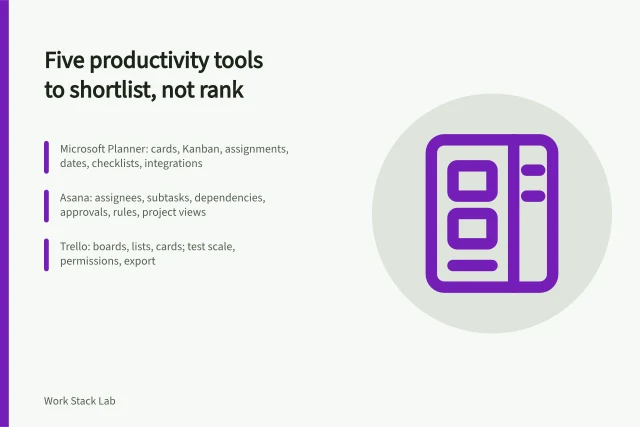
This business productivity software comparison applies one shared workflow: create a request, assign it, approve or reject it, record a blocked exception, check permissions and export the record. The three named tools are Microsoft Planner, Asana and Trello. Jira, ClickUp, Smartsheet, Monday.com and Wrike are added as public alternatives.
Permissions, exceptions, export by tool
Planner
- Permissions
- M365 group roles
- Exceptions
- Status, priority, Power Automate
- Export
- Export plan to Excel
Asana
- Permissions
- Project privacy roles
- Exceptions
- Rules, approvals, dependencies
- Export
- CSV and API JSON
Trello
- Permissions
- Board visibility
- Exceptions
- Butler automation rules
- Export
- JSON board export
Permissions
- Microsoft Planner
- Plan access follows Microsoft 365 group membership and plan roles.
- Asana
- Project privacy ranges from public to private, with admin and member roles.
- Trello
- Board visibility can be private, team or public; Enterprise adds controls.
- Jira
- Permission schemes control who can view, edit or transition issues.
- ClickUp
- Roles and guest permissions control access at workspace and list level.
- Smartsheet
- Sharing controls apply at sheet, workspace and account level.
- Monday.com
- Board permissions use roles, with Enterprise permission controls.
- Wrike
- Access roles and spaces control project visibility.
Exceptions
- Microsoft Planner
- Tasks carry status, priority, checklist and labels; Power Automate can add routing.
- Asana
- Rules, approvals and dependencies can route or hold work.
- Trello
- Butler automation can move cards when rules match.
- Jira
- Workflow conditions and validators enforce transition rules.
- ClickUp
- Automations use conditions, and dependencies can block tasks.
- Smartsheet
- Automated workflows and approval requests can route exceptions.
- Monday.com
- Automations and dependencies can manage blocked or late items.
- Wrike
- Custom workflows and approvals can define exception paths.
Export
- Microsoft Planner
- Microsoft documents an export plan to Excel option for Planner web.
- Asana
- Asana supports CSV export for projects and JSON through its API.
- Trello
- Trello offers JSON export for boards from the board menu.
- Jira
- Jira issue search supports CSV export.
- ClickUp
- ClickUp supports CSV export for tasks and lists.
- Smartsheet
- Smartsheet exports to XLSX, PDF and CSV.
- Monday.com
- Monday.com supports Excel and CSV export.
- Wrike
- Wrike exports to Excel and CSV.
Here is how a confidential request would move through the three named tools, using only documented features. In Planner the task sits in a Microsoft 365 group plan with priority and labels set, and a Power Automate flow alerts the approver.
In Asana the request sits in a private project as an approval task that a rule holds until approved. In Trello a card on a private board moves to a Blocked list through a Butler rule.
Permissions, exceptions and export
For the shared workflow, permissions decide who can create, edit, approve or export a record. The table above records the documented mechanism for each tool.
Shared workflow control points
- Permissions decide who can create or edit
- Permissions decide who can approve or export
- Exceptions cover blocked, overdue, confidential, reassigned
- Export must meet the exit requirement
- Export a sample and open it
- Check fields, attachments, comments, history
This comparison covers documented features, not prices. It does not compare edition or subscription costs. Provider pricing pages and service descriptions state which tier carries each permission and export option, so check the tier you would buy.
Exceptions matter when a request is blocked, overdue, confidential or reassigned. Planner relies on Microsoft services for advanced routing. Asana and Trello offer rules or Butler automation. Jira uses workflow conditions. ClickUp, Monday.com and Wrike use automations and dependencies.
Export must be checked against the exit requirement. Each tool publishes its own export route, listed in the table. A sample export usually carries the item name, description, status, assignee, due date and custom fields.
Comments and attachments often arrive as links or are left out, and full change history is rarely included. Open the sample and match each field, comment, attachment and history entry to what the exit requires.
A practical pilot checklist
- Record the exact plan, edition and configuration.
- Build the same approval case in each shortlisted tool.
- Start with access boundaries for sensitive client matters.
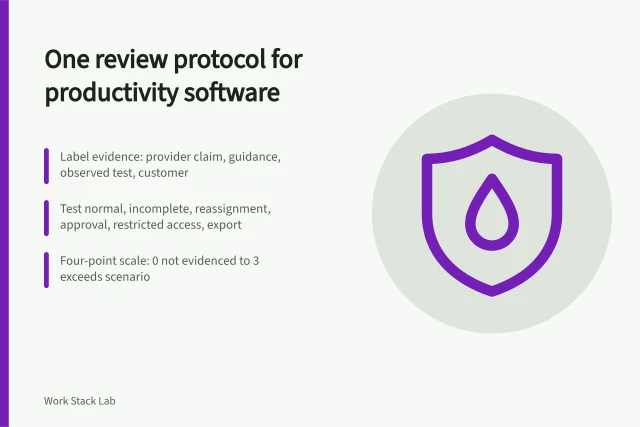
- Create ten neutral requests, including blocked and confidential examples.
- Ask two users and an administrator to process them.
- Export records and verify them against the exit requirement.
The NCSC's guidance for SaaS customers adds questions on authentication, joiners and leavers, privileged access, monitoring and recovery. Check data residency, whether a data processing agreement is available, and how the provider maps to those NCSC points.
Common questions
Did this desk test the tools?
No. This article compares public documentation only. No account, plan or permission setting was tested. Tool facts come from provider pages and public notices. The Microsoft Planner service description is one example.
Which tool suits a shared workflow with strict permissions?
Start with Jira for permission schemes, Smartsheet for sheet-level sharing or Planner for Microsoft 365 group access. Asana and Trello suit lighter project or board sharing. ClickUp, Monday.com and Wrike sit between those poles.
What should a team handling sensitive client matters do first?
Start with access boundaries, not views. The NCSC guidance for SaaS customers adds questions about authentication, joiners and leavers, privileged access, monitoring and recovery. It also covers data protection.